

Mechanical numpad
YUNZII YZ19
Keep your compact keyboard and bring back the number pad. The YUNZII YZ19 puts 19 mechanical keys and a control knob in a separate unit you can position beside your laptop or keyboard. Tri-mode connectivity, hot-swappable switches and rounded XDA keycaps make it a practical companion for spreadsheets, invoices and everyday number entry.

- 19 keys + knobDedicated number pad
- Tri-modeBluetooth, 2.4 GHz and USB-C
- 92 x 136 mmDesk footprint
A number pad you can place yourself
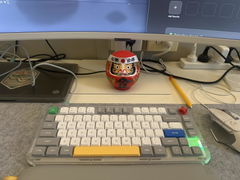
The YZ19 measures 92 x 136 x 41 mm, giving number entry its own small space on the desk. Keep it beside a compact keyboard for spreadsheet work, or bring it out with your laptop when a row of number keys feels awkward.

Wired at your desk, wireless when it suits
Connect through USB-C, a 2.4 GHz receiver or Bluetooth. Three Bluetooth channels let you select a paired device with a keyboard shortcut. The side power switch and visible status indicators keep the connection and power controls close to hand when you change your setup.

Choose a linear or tactile feel
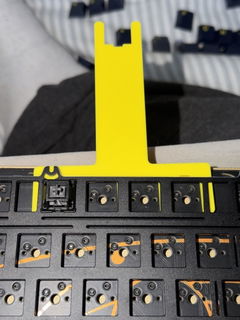
The switch images show Gateron G Pro Yellow linear switches and Brown tactile switches. The full-key hot-swap design lets you replace switches without soldering, while the gasket-mounted construction includes a PC plate and internal damping. Check the selected switch option before ordering.


Rounded keys with a little colour
XDA-profile PBT keycaps give the number pad broad, rounded key tops. Dye-sublimated legends sit alongside small illustrated accents, with mint and macaron colour schemes shown. South-facing RGB adds light between the keys, and the onboard controls let you change its colour and effects.

A knob for the controls you reach for
Turn the knob to adjust volume, or use its lighting controls to change the backlight. The YZ19 also has its own customisation software for key functions and macros. That gives the spare keys a purpose beyond numbers when your work involves repeated shortcuts.


Specifications
- Layout
- 19-key numeric pad with 1 rotary knob
- Connections
- USB-C wired, Bluetooth and 2.4 GHz wireless
- Bluetooth channels
- 3
- Mounting
- Gasket mounted
- Plate
- PC
- Switch versions shown
- Gateron G Pro Yellow linear; Gateron G Pro Brown tactile
- Hot-swap
- Full-key hot-swappable
- Keycaps
- Dye-sublimated PBT, XDA profile
- Lighting
- South-facing RGB
- Knob controls
- Volume and backlight
- Dimensions
- 92 x 136 x 41 mm
- Power
- Built-in rechargeable battery
- Customisation
- YUNZII software for key functions and macros
Frequently asked questions
Can I use the YZ19 beside a compact keyboard?
Yes. It is a separate number pad with its own connection, so you can position it beside your existing keyboard or laptop. Its desk footprint is 92 x 136 mm.
What is the difference between the Yellow and Brown switches?
The supplied product images identify Gateron G Pro Yellow as linear and Brown as tactile. Yellow has a continuous press, while Brown adds a tactile bump. Check the selected option for the version you are ordering.
Does the knob control volume?
Yes. The knob turns volume up or down and also provides backlight controls. The product artwork shows the relevant knob and Fn-key combinations.