

Mice
YUNZII C1
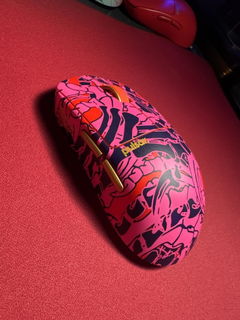
The YUNZII C1 is a compact silicone wireless mouse with a rounded body and a contrasting glossy button surround. It connects by Bluetooth, 2.4 GHz receiver or USB-C, and offers six sensitivity settings up to 4800 DPI. The pictured design is intended for small to medium hands and weighs about 80 g.

- 80 g +/- 5 gListed mouse weight
- 800-4800 DPISix sensitivity settings
- Tri-modeBluetooth, 2.4 GHz and USB-C
A compact silicone shape
The C1 has a rounded silicone body behind its two main buttons and scroll wheel. It weighs 80 g, plus or minus 5 g, with a curved back that sits under the palm. Designed for small to medium hands, its fit still depends on your preferred grip.

Connect at your desk or on the move
Choose Bluetooth, the 2.4 GHz receiver or a USB-C wired connection. Underneath, the mouse has a power switch, a connection-channel button and receiver storage. The channel indicator identifies 2.4 GHz, BT1 and BT2, so the selected wireless connection can be checked without opening software.


Six cursor speeds to choose from
The six sensitivity steps run from 800 to 4800 DPI, with 1200, 1600, 2400 and 3200 in between. Press the scroll-wheel button and right button together to cycle through them. Choose a lower or higher step to suit your preferred cursor movement.

Adjust the buttons and settings
The web customisation panel supports Windows and Mac, with controls for button layouts, macros, DPI, polling rate and sleep timing. That lets you change how the mouse behaves without changing its physical shape. Device compatibility and access to customisation are separate considerations when choosing a connection.

Recharge through USB-C
A 500 mAh rechargeable battery powers the C1, with automatic sleep after ten minutes of inactivity. A charging and low-power indicator sits near the buttons. The package includes a USB-C cable and 2.4 GHz receiver alongside the mouse and manual.

Watch and listen
Specifications
- Product type
- Silicone wireless mouse
- Connections
- Bluetooth, 2.4 GHz wireless, USB-C wired
- Wireless channels shown
- 2.4 GHz, BT1 and BT2
- Weight
- 80 g +/- 5 g
- Hand-size guide
- Small to medium; fit is personal
- DPI settings
- 800, 1200, 1600, 2400, 3200, 4800
- Sensor identified in image
- PAW3212DB-TJDT
- Battery
- 500 mAh rechargeable
- Charging port
- USB-C
- Automatic sleep
- 10 minutes of inactivity; sleep timing is customisable
- Primary controls
- Left button, right button and clickable scroll wheel
- Customisation
- Web tool for Windows/Mac: buttons, macros, DPI, polling and sleep
- Receiver storage
- Compartment underneath the mouse
- Package pictured
- Mouse, USB-C cable, 2.4 GHz receiver and manual
Frequently asked questions
Can the C1 work with a USB cable?
Yes. The connection graphic identifies USB-C wired mode as well as Bluetooth and 2.4 GHz wireless. A USB-C cable is shown in the package contents.
How do I change the DPI?
The image guide says to press the middle/scroll-wheel button and right button together to cycle the six DPI levels. DPI settings are also shown in the web customisation tool.
Is it designed for larger hands?
The product's hand-size guide specifically recommends small to medium hands. Its short, rounded shape may not suit someone who prefers a longer mouse with more palm contact.